
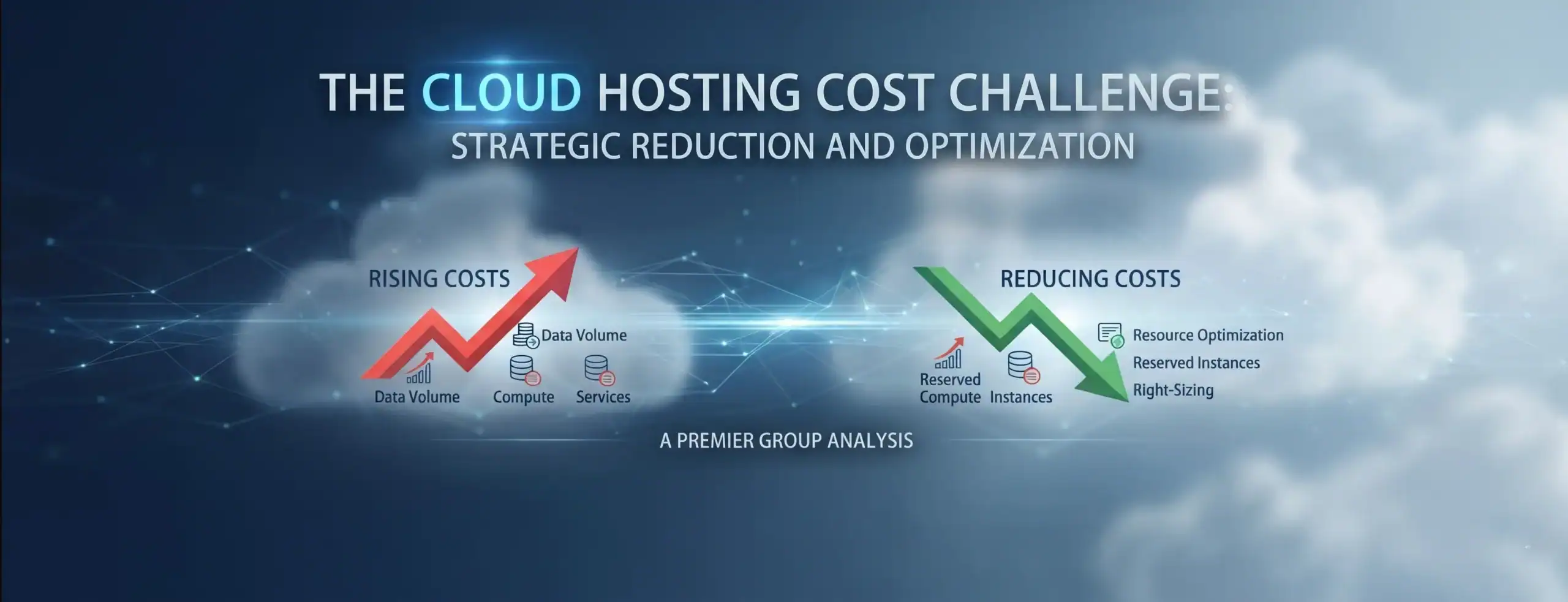
Why Does Cloud Hosting Cost More Each Month? Common Hidden Charges and How to Stop Them
Date: 19/11/2026
Summary
Cloud hosting costs can rise due to unused resources, growing storage, overprovisioned infrastructure, backups, data transfer and unused licences. This guide explains the common causes of rising cloud bills and practical ways businesses can improve cloud cost management, reduce unnecessary spending and keep their IT environment efficient.
Cloud hosting gives businesses flexibility, scalability and access to modern IT infrastructure without the upfront investment required for physical servers. However, cloud costs can gradually increase as storage grows, unused resources remain active, workloads expand and additional services are introduced.
If your monthly cloud bill keeps increasing without a clear explanation, the problem may not be one major expense. It could be a combination of idle resources, overprovisioned infrastructure, growing storage, backup retention, data transfer, licensing or limited visibility into cloud usage.
This guide explains the common reasons behind rising cloud costs and practical ways businesses can reduce cloud hosting costs without compromising performance, security or business continuity.
Why Is My Cloud Bill Going Up?
Cloud environments are designed to scale with business requirements. That flexibility is valuable, but it also means that costs can change as usage changes.
A business may start with a relatively predictable monthly bill and then gradually add new applications, storage, users, backups and services. If those additions are not regularly reviewed, the cloud environment can become more expensive than necessary.
The first step toward controlling costs is understanding what is actually driving the increase.
1. Unused or Idle Cloud Resources
One of the most common reasons for unexpected cloud bills is paying for resources that are no longer being actively used.
For example, a development environment created for a short-term project may remain active after the project has finished. The same can happen with virtual machines, databases, storage volumes, test environments and other cloud resources.
A regular resource review should identify:
- Resources that are no longer required
- Test or development environments that can be shut down
- Unused storage and attached resources
- Services with no clear business owner
- Resources that have remained active despite low utilization
The goal is not to remove resources simply because they have low usage. Instead, businesses should confirm whether each resource still supports an operational, security or business requirement.
2. Growing Cloud Storage
Cloud storage costs can increase gradually because business data rarely stops growing.
Documents, project files, backups, historical records, images and other business information can accumulate over several years. Businesses may also retain multiple copies of the same information across active storage, backups and archives.
A storage review should consider:
- What data needs frequent access?
Current operational files may require faster and more readily available storage. - What data can be archived
Older information that is rarely accessed may be suitable for a lower-cost storage tier, depending on retention and compliance requirements. - What data is no longer required?
Duplicate, obsolete or unnecessary data can increase costs without providing additional business value.
The objective is not simply to delete data. It is to ensure that data is stored at an appropriate cost and retained for the right reasons.
3. Overprovisioned Infrastructure
Businesses often provision more cloud capacity than they initially need. This can be a sensible approach during migration or when future growth is uncertain, but those resources should be reviewed once actual usage patterns become clear.
For example, a virtual machine may have considerably more CPU or memory than the workload normally requires. If that situation continues for months, the business may be paying for capacity that provides little additional value.
Rightsizing involves reviewing actual utilization and adjusting resources to better match workload requirements.
This should be done carefully. Production workloads, peak usage and future growth all need to be considered before reducing capacity.
4. Data Transfer and Network Costs
Cloud spending is not limited to computing and storage.
Moving data between applications, cloud services, regions or external systems can also contribute to monthly expenditure. These costs can be difficult to spot because they may appear under networking or data-transfer categories rather than as a straightforward hosting charge.
During a cloud spending audit, businesses should look at:
- High-volume data transfers
- Cross-region traffic
- Data movement between cloud services
- Backup and replication traffic
- Applications generating unnecessary transfers
Understanding how data moves through the environment can reveal cost-saving opportunities that would otherwise be missed.
5. Backups, Snapshots and Long-Term Retention
Backups are essential, but they can become expensive when retention is not regularly reviewed.
A business may continue storing old backups and snapshots long after they are needed. Over time, these historical copies can consume significant storage capacity.
Rather than simply deleting backups, businesses should establish clear retention requirements based on operational, contractual and regulatory needs.
A review should ask:
- How long should each type of backup be retained?
- Which systems require frequent recovery points?
- Are old snapshots still required?
- Can older backups use lower-cost storage?
- Are retention policies being applied consistently?
This approach helps control backup costs without weakening the organization’s recovery strategy.
Other Hidden Cloud Costs to Check
A cloud cost review should look beyond servers and storage. Other areas can include:
| Cost Area | What to Review |
|---|---|
| Licensing | Unused, duplicate or unnecessary licences |
| Monitoring | Excessive logging and unnecessary retention |
| Security Services | Services that are no longer required or appropriately sized |
| Databases | Overprovisioned or underutilized database resources |
| Disaster Recovery | Replication and secondary environments |
| SaaS Services | Subscriptions that are no longer actively used |
These costs may appear individually insignificant, but together they can contribute meaningfully to monthly cloud expenditure.
How to Audit Company Cloud Spend
If your cloud bill has increased, avoid immediately cutting resources. Start by understanding the trend.
- Compare Several Months of Spending
Review at least three to six months of cloud expenditure to determine whether the increase is temporary or part of a continuing trend. - Identify the Biggest Cost Changes
Break spending down by compute, storage, networking, backup, licensing and other services. Focus first on the areas showing the largest increases. - Connect Costs to Resources
Determine which workloads or resources are responsible for those increases and identify the department or business application using them. - Review Utilization
Look for resources that consistently operate below their provisioned capacity. These may be candidates for rightsizing or restructuring. - Review Storage and Retention
Check storage growth, backup policies, snapshots and archived information to determine whether data is being retained and stored appropriately.
6. Establish Ongoing Monitoring
Cloud optimization should not be a once-a-year exercise. Budgets, alerts and regular reviews can help identify unexpected spending before it becomes a larger problem.
How to Reduce Cloud Hosting Costs for Business
Once the major cost drivers are understood, businesses can take targeted action rather than applying broad cost-cutting measures.
Some of the most practical improvements include:
- Removing resources that are no longer required
- Rightsizing consistently underutilized workloads
- Reviewing storage tiers and data retention
- Cleaning up obsolete backups and snapshots
- Reviewing software and cloud licences
- Monitoring data-transfer costs
- Setting budgets and spending alerts
- Assigning ownership to major cloud resources
- Reviewing cloud usage regularly
The right combination will depend on the organization’s infrastructure and business requirements.
Cloud Cost Management Is More Than Cutting Costs
Reducing a cloud bill should not mean choosing the cheapest possible infrastructure.
For example, reducing compute capacity too aggressively could affect application performance. Cutting backup retention without understanding recovery requirements could increase operational risk. Removing monitoring services could also reduce visibility into critical systems.
Effective cloud cost management is therefore about finding the right balance between cost, performance, security and business requirements.
This is where FinOps principles can become useful. Rather than leaving cloud spending entirely with IT or finance, FinOps encourages technology, finance and business teams to understand what is being spent, why it is being spent and what business value that spending provides.
When Should You Consider a Cloud Cost Optimization Review?
A detailed review can be particularly useful when:
- Your cloud bill has increased unexpectedly
- Cloud spending is difficult to forecast
- Multiple teams manage cloud resources
- Your business has recently completed a cloud migration
- Storage and backup requirements have grown significantly
- You have multiple cloud subscriptions or environments
- Finance cannot easily identify the reason for major IT cost increases
- You are planning a significant expansion of your cloud infrastructure
For businesses moving away from traditional infrastructure, cost optimization should also be considered as part of the wider migration and modernization strategy. Premier Group’s Microsoft 365 & Digital Workplace Consulting services cover cloud migration, licensing and ROI optimization, governance and ongoing cloud environment management.
How Premier Group Can Help
Cloud cost optimization requires both financial visibility and an understanding of the underlying technology.
Premier Group helps organizations assess their cloud environments, identify opportunities for better resource utilization and align technology infrastructure with broader business objectives.
Our Microsoft cloud consulting capabilities cover areas including cloud migration, Microsoft 365 implementation, licensing and ROI optimization, governance and continuous optimization. Premier Group
For businesses with more complex data environments, Premier Group also provides cloud data architecture and cost optimization, including tiered storage strategies and compute optimization. Premier Group
Where cloud data needs to be turned into management reporting and financial visibility, Power BI consulting can also help organizations build reporting environments that connect data from Azure, Microsoft 365 and other business systems.
Get More From Your Cloud Investment
A cloud setup should support your business without creating unnecessary monthly expenses. Connect with Premier Group for a practical review of your cloud usage, infrastructure, and cost-saving opportunities.
Frequently Asked Questions
Businesses can reduce cloud costs by removing unused resources, rightsizing infrastructure, optimizing storage and reviewing backup, licensing and data-transfer costs. A regular cloud spending review can help identify where money is being spent unnecessarily.
Look for consistently underused resources, unexpected monthly increases, unused licences, growing storage costs and services with no clear owner. A cloud cost audit can help identify these areas and prioritize practical savings.
A business should review:
- Compute and resource utilization
- Storage and backup growth
Data-transfer costs - Licences and subscriptions
- Month-to-month spending changes
The review should also consider whether proposed savings could affect performance, security or business continuity.
They can, depending on how the environment is designed and managed. Premier Group's Microsoft 365 & Digital Workplace services can help businesses assess migration, licensing, governance and ongoing optimization opportunities.
Businesses should regularly review data growth, retention requirements, duplicate files and storage tiers. Premier Group can also help businesses assess their data, cloud and infrastructure requirements to support more efficient technology planning.
Yes. Premier Group can review your cloud environment, identify potential areas of unnecessary spending and recommend practical optimization opportunities. Contact Premier Group to discuss your requirements or explore our services to see how the team can support your broader technology strategy.